Skip to content
b288l Slots / Casino
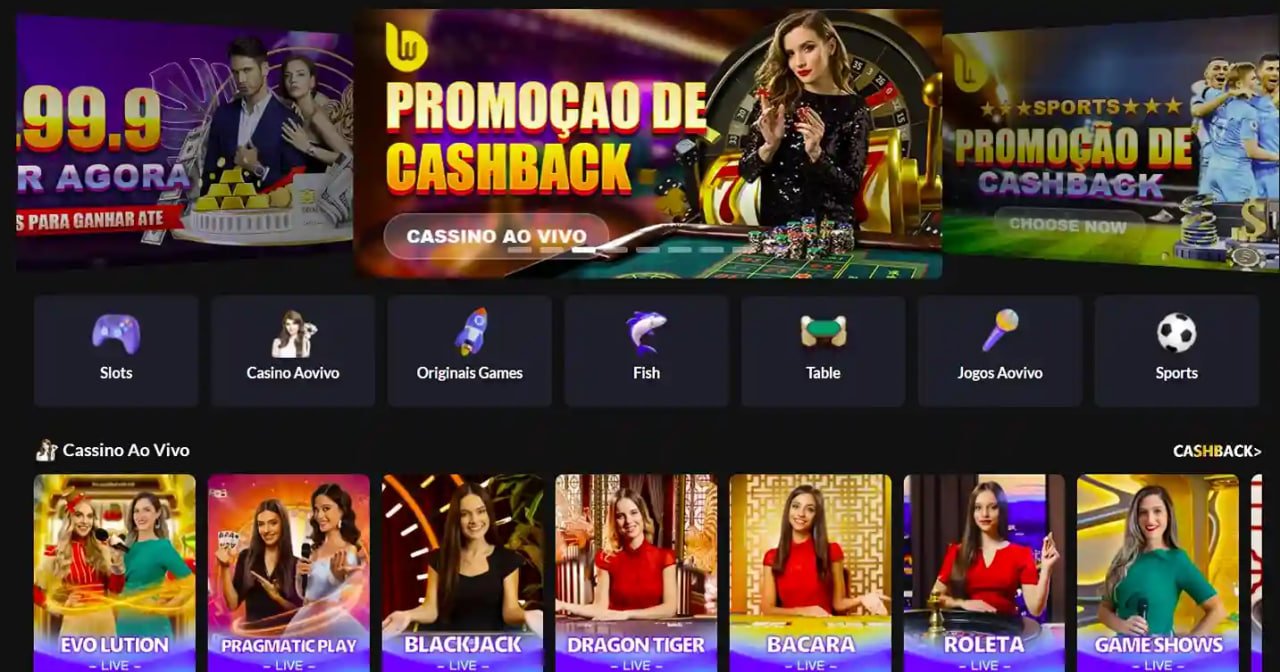
LIVE LOBBY

b288l — Slots, Live Tables and Sportsbook for Pakistan

Crash Skyline, Teen Patti PlayNow and cricket sportsbook markets sit alongside live dealer tables — all reachable from one account, with JazzCash and Easypaisa accepted where local law permits. Open your account to see the current lobby state and payment options available in your region.

JazzCash Easypaisa Raast
Browse games
CONTENT / 01

Slot Bonanza, Crash Skyline and Teen Patti PlayNow in the Lobby

The lobby covers several formats. Slot Bonanza sits in the slots section — a reel-based title where the prize combination mechanics and bonus round triggers are described on the game's own detail screen before you open a session. Crash Skyline is a crash-format game; the round mechanic, multiplier display and cash-out point are all visible during play and explained in the game's help section.

  • Slot Bonanza

    A reel-based slot with prize combination mechanics. The bonus round and reel features are explained on the game detail screen. RTP is shown only where the provider exposes it — check the game information panel before starting a session.

  • Crash Skyline

    A crash-format round where the multiplier builds until the round ends. Your cash-out decision is made during the live round. The mechanic, display and cash-out controls are explained in the game's help section — review it before your first round.

  • Teen Patti PlayNow

    A table game built on the card game familiar to Pakistan players. Hand rankings, betting rounds and side bet options are shown in the game interface. Suitable if you already know the card game or want to read the in-game rules before your first hand.

  • Football Quickbet

    A quick-bet format for football markets. Current odds and available match markets are shown at the time you open the section — we do not publish odds in advance as they update with market movement. Check the live section for what is currently priced.

DISCOVER / 01

Choose your game

Full lobby
CONTENT / 02

Casino, Slots and Sportsbook Under One Roof

From slot reels and crash rounds to live casino tables and cricket-led sportsbook markets, the b288l lobby covers the categories Pakistan players reach for most. Titles from Microgaming, Habanero, PG Soft, CQ9, Joker and PlayStar are available depending on your account region — browse the lobby after login to see what is active for you.

GAME NETWORK
Microgaming
Joker
Habanero
CQ9
PG Soft
PlayStar
CONTENT / 04

b288l lobby studios

The b288l lobby carries content from Microgaming, Joker, Habanero, CQ9, PG Soft, PlayStar. To check the studio, rules or features of one specific game, open that game card or the published information panel.

  • Microgaming

  • Joker

  • Habanero

  • CQ9

  • PG Soft

  • PlayStar

LOCAL PAYMENTS

JazzCash, Easypaisa and Bank Transfer — Confirmed Local Routes

Your account wallet connects to JazzCash, Easypaisa and Bank Transfer as confirmed deposit and withdrawal routes for eligible Pakistan accounts. To load your wallet, go to the Deposit section inside your account dashboard, select the payment method, and follow the fields and verification steps shown on that screen — limits, processing notes and any required account details are all displayed there in real time.

  • JazzCash

    Deposit and withdraw through your JazzCash mobile wallet. The account screen walks you through the registered mobile number, verification step and the limit range shown for your account. Records appear in your transaction history after the wallet confirms the transfer on their side.

  • Easypaisa

    Easypaisa transfers are initiated from the Deposit screen — enter your Easypaisa-registered mobile number, complete the confirmation step your wallet provider sends, and the transaction record updates in your account dashboard. The exact limit and processing note for Easypaisa is displayed on that screen at the time you initiate.

  • Bank Transfer

    Bank Transfer is available for eligible accounts. Select it in the Deposit or Withdrawal section, follow the bank details and reference fields shown on screen, and check your account transaction history for the status update. Processing follows your bank's schedule, which the payment screen notes before you confirm.

  • Mobile Access

    Your account works across mobile browsers without a separate download. The wallet, game lobby, payment section and support channel all load from the same login. On a mobile screen the navigation re-arranges to fit — your payment history and account controls stay accessible the same way as on desktop.

JazzCash Pakistan payment context
Easypaisa Pakistan payment context
Raast Pakistan payment context
ACCOUNT PATH

From Account Opening to First Session — Four Clear Steps

Starting on b288l follows a straightforward path. First, open the account registration page and fill in the required fields — email address, mobile number and the account details shown on that form. Second, verify your account through the confirmation step sent to your registered contact; the exact method is described on the verification screen.

  1. Open Your Account

    Fill in the registration fields on the account page — email, mobile number and the details the form asks for. Follow the on-screen instructions at each field.

  2. Verify Your Account

    Complete the confirmation step sent to your registered contact. The verification screen explains which step applies to your account type.

  3. Make Your First Deposit

    Go to the Deposit section in your account dashboard. Choose JazzCash, Easypaisa or Bank Transfer and follow the fields, limits and verification notes shown there.

  4. Open the Lobby

    Once your wallet balance updates, browse the game catalogue. Filter by studio or game type to find the category you want — your session controls are in the account settings tab.

MEMBER DESK / 06

Offers, support and account controls

01

Game lobby

02

Support

ACCOUNT OFFERS

What Your Account Dashboard Shows on Login

Any account-level offer available to you is displayed in your dashboard after you log in — the current state is shown there, not published in advance on this page. We structure account offers around your account activity and the eligibility rules set at the time; the dashboard reflects exactly what applies to your account at that moment.

  • Dashboard Offers

    Any offer tied to your account appears in the dashboard tab after login. The terms and eligibility conditions are displayed alongside the offer — read those before accepting. The dashboard reflects real-time account state, so what you see is what currently applies.

  • Offer Conditions

    Eligibility depends on account region, account status and the specific conditions set for each offer. We do not publish universal amounts because they vary. If an offer shows in your account, the conditions panel next to it contains the specifics you need to decide whether to accept.

  • Support for Offer Questions

    If an offer in your dashboard is unclear — conditions, how a credit applies to your wallet, or what triggers a particular stage — contact support from inside your account. The support channel has access to your account state and can give you a specific answer rather than a general one.

Login
FEATURE BRIEF / 05

Cricket Betting Markets Available for Pakistan Accounts

Cricket is the sport Pakistan accounts access most through the sportsbook section. PSL and international cricket markets are listed under the sports category in the lobby — available matches, current odds and bet types are shown live at the time you open the section. We do not publish fixture schedules or odds here because both change with match schedules and market movement; the live sportsbook screen reflects what is priced right now.

Game feature guide
  • PSL Markets

    Pakistan Super League matches are listed in the sportsbook section when scheduled and priced. Market availability, bet types and odds are shown live — check the section at the time of the match for what is currently available. Eligibility depends on local law and account region settings.

  • International Cricket

    International fixtures involving Pakistan and other Test and ODI schedules appear in the cricket category of the sportsbook when markets are open. The bet-slip flow is the same as other markets — select, enter stake, confirm from wallet. Settlement goes back to your account wallet.

  • Live Match Betting

    Live betting markets update during a match. Odds shift with match events, and some markets may close mid-session. The live section shows the current state in real time — refresh the screen if you do not see a market you expect, or check the availability note shown for that event.

ACCOUNT CARE

Support Channels Inside Your b288l Account

Account support is available from inside your dashboard — you do not need to leave your session to reach it. The support section covers account verification questions, wallet and payment queries, session control settings and general access questions. If your deposit has not reflected in your wallet, or if a withdrawal shows a pending status you do not recognise, the support team can check the transaction record tied to your account directly.

  • Live Chat Support

    The live chat channel is accessible from the support tab inside your account dashboard. It connects you to the account care team with your account context already visible on their side, which means payment and session questions can be answered with reference to your actual account state rather than general responses.

  • Wallet and Payment Help

    For JazzCash, Easypaisa or Bank Transfer queries — a deposit not reflecting, a withdrawal pending longer than expected, or a payment method not appearing in your deposit screen — contact support from your dashboard with your transaction reference. The team can see the payment record tied to your account and advise on the next step.

  • Account and Session Controls

    Session controls and account preferences are managed in the account settings tab. If you need help finding a specific control — activity history, notification settings, account status — the support channel inside the dashboard can point you to the exact location rather than giving a general page reference.

B288L
Mobile casino lobby
Popular Live Slots
Roulette Luckspin New Member Offer Pakistan Football Quickbet
MOBILE LOBBY

Built for phones, clear on desktop

Cards, tables, FAQ and policy pages stay easy to read on smaller screens.

  • Quick categories
  • Mobile first
  • Access
App
CONTENT / 03

Managing Your Home Session on a Phone Screen

When you access your b288l account from a mobile screen, the home lobby adjusts its layout automatically — the game category rail, wallet summary and sportsbook entry point re-stack for vertical scrolling. Your account session stays active as you move between the slots section, the live tables and the sportsbook without needing to log in again.

  • Mobile Wallet Access

    Your account wallet and transaction history load on mobile the same as desktop. Tap the wallet tab in the account menu to see your current balance, recent deposits and withdrawal records. Initiating a JazzCash or Easypaisa deposit from mobile follows the same screen flow as on desktop — your registered number and confirmation step are handled inside the same browser session.

  • Session Continuity

    Your account session does not reset when you switch network connections on a mobile device. Open games, active bet-slips and wallet state carry through. If a session does expire — for example after an extended period of inactivity — the login screen will prompt you to re-enter your credentials before continuing.

  • Mobile Game Access

    Slot titles from PG Soft, CQ9 and Habanero are built for mobile screens — touch controls, portrait and landscape orientations are handled at the game level. Crash Skyline and Teen Patti PlayNow both run on mobile without layout issues. Check individual game screens for any device-specific notes the studio has published.

TRUST / 03

Session and Account Controls You Hold Directly

Account-level controls let you manage how you use the platform on your own terms. Activity history is available in the account settings tab — it shows session dates, game rounds played and transaction records so you have a clear view of your account activity without needing to contact support. If you want to set account preferences around session behaviour, the settings tab is where those controls sit.

  • Activity History

    Your full session and transaction history is in the account settings tab. Session dates, rounds and wallet movements are all recorded there. You do not need to contact support to see this — it is available to you directly after login, updated after each session.

  • Payment Records

    Every JazzCash, Easypaisa and Bank Transfer transaction that has completed or is pending shows in the wallet section of your account. The record includes the amount, method, reference number and current status. If a record looks incorrect, use that reference number when contacting support — it links directly to the transaction on the account system.

  • Session Preferences

    Account-level session preferences are managed from the settings tab. If you want to review or adjust how your account behaves between sessions — notification settings, account status flags or activity thresholds — those controls are in settings, not buried in a separate menu. The support channel can help you locate a specific control if needed.

  • Policy and Eligibility Routes

    Access to the sportsbook, specific game categories and payment methods depends on your account region and local law. The policy section of your account explains which conditions apply to your account type. If eligibility for a feature is unclear, support can direct you to the specific policy section rather than giving a generic answer.

Learn more →
PLAYER INDEX / 07

Account and Game Terms Worth Knowing Before You Start

A few terms come up regularly when new accounts explore the lobby and payment section for the first time. Knowing what they mean saves a support query later.

Player guide and glossary
  • What is a bonus round in a slot game?

    A bonus round is a game mechanic built into the slot by the studio — it triggers under conditions the game defines, such as a certain symbol combination appearing on the reels. During a bonus round the game typically enters a different mode with its own prize structure.

  • What does RTP mean and where do I find it?

    RTP stands for Return to Player — it is a percentage that describes how a game is configured to pay back over a large number of rounds, as set by the studio. It is not a session guarantee; it is a long-run design figure. We only show RTP where the studio that produced the game has made that figure publicly available.

  • What is a crash game and how does Crash Skyline work?

    A crash game is a format where a multiplier increases from the start of a round and you choose when to cash out before the round ends. Crash Skyline follows this format — the multiplier builds, and the round ends at a point determined by the game. Your cash-out decision happens during the live round. The controls, display and cash-out button are visible during play. The help section inside the game explains the mechanic in detail before you commit a stake.

  • What is an account wallet?

    Your account wallet is the balance held in your b288l account. Deposits from JazzCash, Easypaisa or Bank Transfer add to your wallet balance. When you place a bet or open a paid game session, the stake is drawn from your wallet. When a game round or bet settles in your favour, the amount is added back to your wallet. The wallet tab in your account dashboard shows your current balance and the history of every movement — deposits, game activity and withdrawals.

  • What is the difference between a deposit and a withdrawal?

    A deposit moves funds from your payment method — such as JazzCash or Easypaisa — into your account wallet, making them available to use in the lobby. A withdrawal moves funds from your account wallet back to your payment method. Both actions are initiated from the wallet section of your account dashboard.

  • What is a sportsbook market?

    A sportsbook market is a specific bet type available for a sporting event — for example, match result, top run scorer or total runs in cricket. Each market has its own odds, which reflect the probability weighting set by the pricing system at that moment.

  • What does account eligibility depend on?

    Account eligibility — including access to specific game categories, payment methods and sportsbook markets — depends on local law and the region associated with your account. We do not confirm eligibility in advance for all regions because local law varies. The features available to your account are shown inside your dashboard after login.

EXPLORE FURTHER / 04

Explore detailed guides

Local lobby check

LOBBY / 02

One mobile lobby, distinct game areas

Roulette Luckspin Live Roulette Luckspin Access → New Member Offer Pakistan Slots New Member Offer Pakistan Access → Football Quickbet Sports Football Quickbet Access → Crash Skyline Slots Crash Skyline Access → Teen Patti PlayNow Slots Teen Patti PlayNow Access → Slot Bonanza Slots Slot Bonanza Access →
QUICK ANSWERS

Frequently asked questions

These are the questions we hear most from accounts exploring the lobby and payment section for the first time. If your question is not here, the support channel inside your dashboard is the fastest route to a specific answer.

Read FAQ →
How do I deposit using JazzCash or Easypaisa?

Go to the Deposit section inside your account dashboard and select JazzCash or Easypaisa from the available payment methods. Enter your registered mobile number and follow the verification step your wallet provider sends. Once the wallet confirms the transfer on their side, the amount reflects in your account wallet and the record appears in your transaction history.

Can I access my account from a mobile phone in Pakistan?

Yes — your account works through a mobile browser in Pakistan where local law and your account region permit access. The lobby, wallet, payment section and support channel all load from the same login session on mobile. The layout adjusts automatically for smaller screens. You do not need to download a separate application — open the site in your mobile browser, log in, and your full account is available. Availability depends on your region and local law.

Where do I find my transaction records?

Transaction records are in the wallet section of your account dashboard, available after login. Every completed or pending JazzCash, Easypaisa and Bank Transfer transaction is listed there with the amount, method, reference number and current status. If you need to raise a payment query with support, the reference number from this list is what the support team uses to look up the transaction on their side — have it ready before you open a support chat.

What game studios supply the content in the b288l lobby?

The slot and table content in the lobby comes from Microgaming, Joker, Habanero, CQ9, PG Soft and PlayStar. These studios supply game titles — slots, table games, crash formats and live dealer tables. The studios supply game content only; payment processing, account security and sportsbook data are separate systems. You can filter the lobby by studio name to see which titles from each provider are active under your account region at the time you log in.

What should I do if a deposit is not showing in my wallet?

First, check your transaction history in the wallet section — the record may show a pending status with a note about the processing step. If the status is unclear or the record is missing entirely, contact support from inside your account dashboard and have your transaction reference number ready.

How do I access session controls and account settings?

Session controls and account preferences are in the account settings tab, accessible after login from the account menu. Activity history, session records, notification settings and account status flags are all managed from that tab. If you are looking for a specific control and cannot locate it, the support channel inside your dashboard can point you to the exact location — describe what you are trying to adjust and support will direct you to the right section.

Is cricket betting available on b288l?

Cricket sportsbook markets — including PSL and international fixtures — are listed in the sportsbook section when matches are scheduled and priced. Current odds, bet types and available markets are shown live at the time you open the section. We do not publish odds or fixture lists here because both change with match schedules and market movement. Sportsbook access depends on your account region and local law.

How do I know which features are available in my account region?

The features active for your account — game categories, payment methods, sportsbook access — are shown inside your account dashboard after login. Access depends on local law and the region associated with your account at registration. If a feature appears greyed out or absent from your account menu, it may not be available for your region.

READY WHEN YOU ARE

b288l game lobby

Access may be available only where local law permits.

Register Login